|
 |
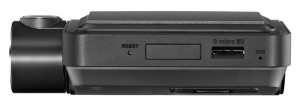 |
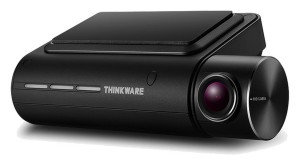
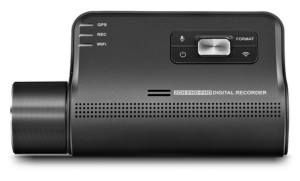
| Thinkware F800 Pro - Control Panel view |
Thinkware F800 Pro - Top view |
| |
 |
| |
| Front and Rear View Full HD Recordings |
| THINKWARE DASH CAM F800 PRO’s Full HD rear camera is sold separately. |
 |
|
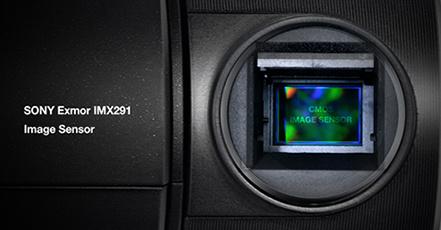 |
SONY Exmor R STARVIS
Image Sensor
Perfect image processing even in low-light environments. The Sony Exmor R STARVIS Image Sensor applied to the F800 PRO provides rich colors and the optimal resolution. STARVIS technology improves Exmor R’s low light sensitivity by providing optimal image quality in visible ray and near-infrared range, allowing clear imaging in low light environments. |
|
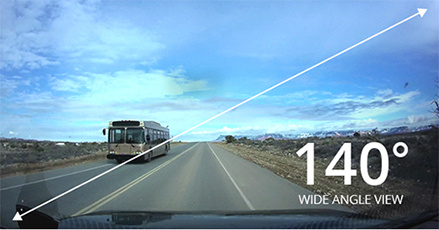 |
Wide Angle Lens
A 140-degree wide angle lens view minimizes blind spots to assure recording of all events. |
|
|
| |
| State Of The Art Video Enhancement Technology |
| THINKWARE DASH CAMs are equipped video enhancement technology, ensuring the most vivid video recordings under any circumstance. |
|
| |
| Wide Dynamic Range |
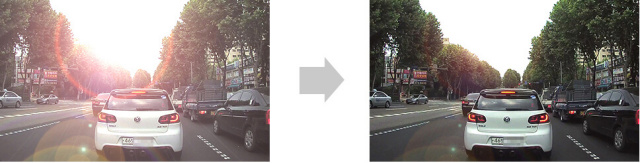 |
| When you are driving under bright sunlight, coming out of a tunnel, or getting under the shadow of a tall building etc, a sudden change in frontal light exposure levels can result in excessively bright or dark recordings. The Wide Dynamic Range (WDR) function eliminates excessively bright spots on the recording to correct its color balance in order to ensure a clear image. |
|
| |
| Nightime Picture Quality Correction |
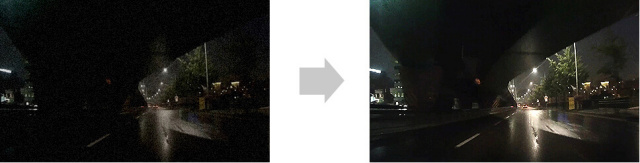 |
Images within videos recorded during nighttime driving on dark streets are sometimes difficult to discern.
The enhancement Sensors of THINKWARE DASH CAMs come with a standard function of brightness and color control as well as noise cancellation. |
|
| |
| Automatic Exposure |
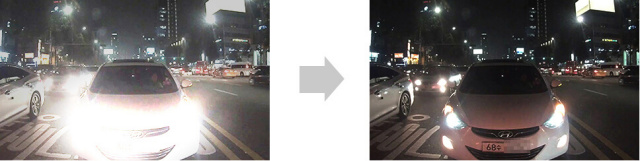 |
| A sudden rise of light exposure caused by strong sunlight or headlight beams of oncoming vehicle may cause improper exposure. Additionally, lack of lighting in a dark tunnel or during night driving may cause the same problem. The automatic light exposure function controls the level of light exposure to maintain vivid and clear video recordings in all circumstances. |
|
| |
|
| |
| Road Safety Alerts |
| Thinkware F800 Pro features a suite of Road Safety Alerts. Clear voice warnings advise you in advance of all types of "fixed" Safety Cameras and also Mobile Zones where Speed Cameras are frequently operated. |
|
| |
|
| |
|
| |
| Various Autonomous Recording Modes |
| |
 |
| Continuous Recording Mode |
| This mode is activated automatically when you start the car. Recorded videos are saved in one-minute segments with an auto-looping mechanism. The earliest recordings are overwritten. |
|
| |
 |
Event Recording Mode |
The Active Impact Monitoring System will automatically store the video data ten seconds prior to and after a collision registered by the 3-axis G-Sensor. |
|
| |
 |
Manual Recording Mode |
Similar to a video camera, you can use the Manual Recording Mode to capture events that occur in front of your vehicle whether or not it is in motion. |
|
| |
 |
Energy Saving Mode |
The dash cam will go to sleep and soon after an impact has been detection by built-in G-senor, F800 PRO will wake up within a second and start recording for next 20 seconds.
Important: Parking Mode requires the optional Hardwire Power Cord. |
|
|
| |
| Advanced Video Technology for Night and Indoor Parking |
|
| Super Night Vision 2.0 |
| DASH CAM videos recorded in a low-light environment, such as dark alleys or parking lots, may not be clearly identifiable. SUPER NIGHT VISION 2.0 in the F800 PRO uses Image Signal Processing (ISP) technology to record a clear, visible video in any situation- while driving or parked. |
|
| |
|
| |
Sony Exmor R Starvis Image Sensor |
Perfect image processing even in low-light environments. |
| The Sony Exmor R STARVIS Image Sensor applied to the F800 PRO provides rich colors and the optimal resolution. STARVIS technology improves Exmor R's low light sensitivity by providing optimal image quality in visible ray and near-infrared range, allowing clear imaging in low light environments. |
|
| |
|
| |
| Energy Saving Parking Recording |
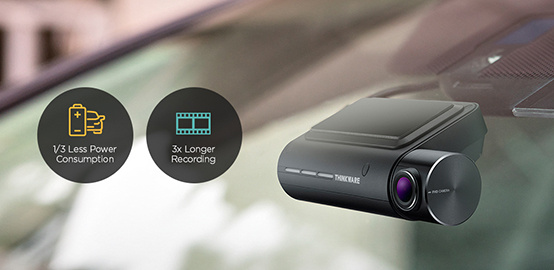
| Energy saving parking recording reduces power consumption by 1/3 and gives 3x longer video recording than normal parking mode. When you are away for a vacation or leaving your car for quite some time, energy saving parking recording is a recommended solution. When in use, F800 PRO will go to sleep and soon after an impact has been detected by the built-in G-sensor, F800 PRO will wake up within a second and start recording for next 20-second period. |
| Important: Parking Mode requires the optional Hardwire Power Cord. |
|
| |
|
| |
| Time Lapse |
Important clips and images may get deleted due to insufficient memory space during long continuous recordings, especially in standard parking recording mode which requires large memory for saving 15 to 30 frames per second.
TIME LAPSE MODE in the F800 PRO records 2 frames per second reducing the size of the video file. This allows video recordings in parking mode to continue up to 9 times longer than other dash cams. |
| Important: Time Lapse (Parking Mode) requires the optional Hardwire Power Cord. |
|
| |
|
| |
| Mobile Viewer |
|
| A new way to connect to your Dash Cam |
.jpg) |
|
|
| In the Box |
| The SD Card used in a Dash Camera is a consumable item. Data is "written to the card" many more times than in other consumer devices. The Data on a smaller capacity SD Card will be "overwritten" more often. The only difference between the three (3) F800 Pro models is the size of the supplied SD Card. |
|
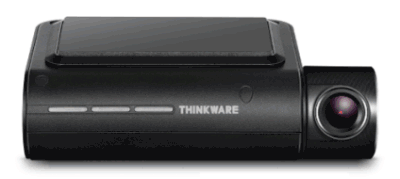 |
| Thinkware F800 Pro HD (1080p) Dash Cam |
|
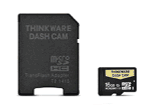 |
| SD Card |
|
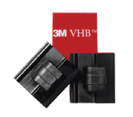 |
| Cable Clips |
|
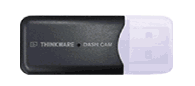 |
| USB Adapter for SD Card |
|
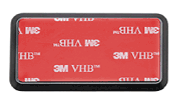 |
| Mount |
|
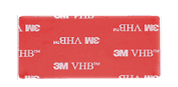 |
| Spare 3M Adhesive |
|
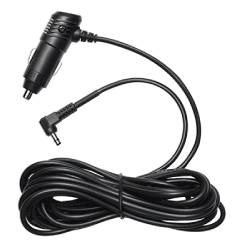 |
| Power Cable |
|
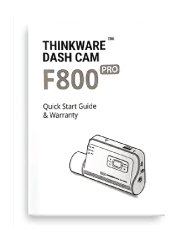 |
| Quick Start Guide & Warranty |
|
|
|
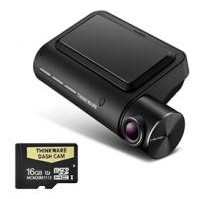
| Thinkware F800 Pro 16GB Dash Cam (FULL KIT) |
|
| |
Discount Price: $ 495.00 AUD |
|
|
|
|
|
|
 |
|
|
|
|
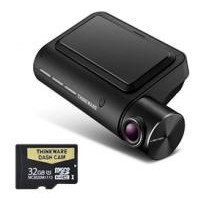
| Thinkware F800 Pro 32GB Dash Cam (FULL KIT) |
|
| |
Discount Price: $ 545.00 AUD |
|
|
|
|
|
|
 |
|
|
|
|
| Thinkware F800 Pro 64GB Dash Cam (FULL KIT) |
|
| |
Discount Price: $ 595.00 AUD |
|
|
|
|
|
|
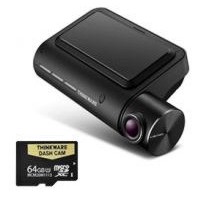 |
|
|
|
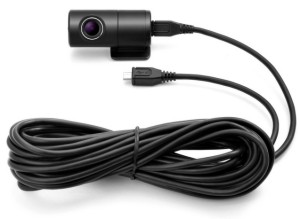
| OPTIONAL: Rear Camera for Thinkware F800 Pro |
|
| |
Discount Price: $ 145.00 AUD |
|
|
|
|
|
|
|
.jpg) |
|
|
|
|
| OPTIONAL: Hardwire Power/Thinkware F800 Pro |
|
| |
Discount Price: $ 30.00 AUD |
|
|
|
|
|
|
|
.jpg) |
|
|
|
|
 Thinkware F800 Pro Dash Cam (16GB / 32GB / 64GB versions) Thinkware F800 Pro Dash Cam (16GB / 32GB / 64GB versions) |
|
|
| |
 |
Dimensions : 107mm (Wide) x 60.5 mm (Tall) x 32.5 mm (Deep) |
| |
|
Weight : 104.5 g (0.23 lbs) |
| |
|
Mounting
Bracket : Attaches to windscreen with 3m adhesive pad |
| |
|
Power
Cord (straight) : Powers Dash Cam from Lighter (Power) socket |
| |
|
USB Datacard Adapter : Connects to computer for back up of recorded movies |
| |
|
Quick Start Guide : Setup information and
Warranty details |
|
| Thinkware Dash Cam Technology |
 |
|
| |
|
Storage Capacity Support : Up to 128 GB |
| |
|
Low-light compensation : Super Night Vision (version 2.0) |
| |
|
Time Lapse : Only operates in Parking Mode |
| |
|
Camera Resolution : 1080p |
| |
|
Camera Sensor : Sony Exmor R Starvis CMOS 2.13M IMX291 |
| |
|
Frame Rate : 30FPS |
| |
|
Video Format : H.264 MP4 |
| |
|
Lens Viewing Angle : 140 degrees |
| |
|
Audio Recording : Selectable (On or Off) |
| |
|
G-Sensor : 3-Axis Accelerometer G-Sensor (3D, ±3G) |
| |
|
Rear Camera Input : Yes |
| |
|
GPS : Built-in |
| |
|
WiFi : Built-in |
| |
|
Smartphone APP : Thinkware Cloud |
| |
|
Input Voltage : 12 / 24V DC |
| |
|
Auxiliary Power : Supercapacitor |
| |
|
Security LED : Front |
| |
|
Status LED : Rear |
| |
|
Speaker : Built-in |
| |
|
Safety Camera Alerts : ADAS (Advanced Driver-Assistance Systems) |
| |
|
- Lane Departure |
| |
|
- Forward Collision |
| |
|
- Forward Departure |
|
| Alerts (speech & tones) |
 |
|
|
|
Spoken alerts
: Prompt for inputs, Safety Camera alerts (Fixed Red-light & Speed Cameras) |
| |
|
Tone alerts : Road Safety Alerts (Vehicle position in lanes and proximity to other vehicles) |
|
| Parts
and Labor |
|
|
|
|
Duration
: 2 years |
|
|
|
|
 Banner_1 (870).gif)